AI Update in Autokitchen 26
This Autokitchen 26 update has incorporated two ways to generate the AI image:
NEW AI PANEL UPDATE
TYPE: BASIC
1 photo = 1 credit
Selecting the Editing Mode for the Initial Image:
Precise Mode:
This is the most restrictive option when editing an image, as it does not allow adding new elements.
What is it for?
To ensure the generated image preserves the original design. It produces the most faithful and accurate versions, ideal for cases where maintaining the initial layout is essential.
Creative Mode:
A free-form editing option that allows the AI to further develop the design by adding new elements.
What is it for?
For creative results—perfect when you want to transform a simple or empty design into a fully decorated project and explore alternative ideas.
Note: This mode may modify the original project layout.
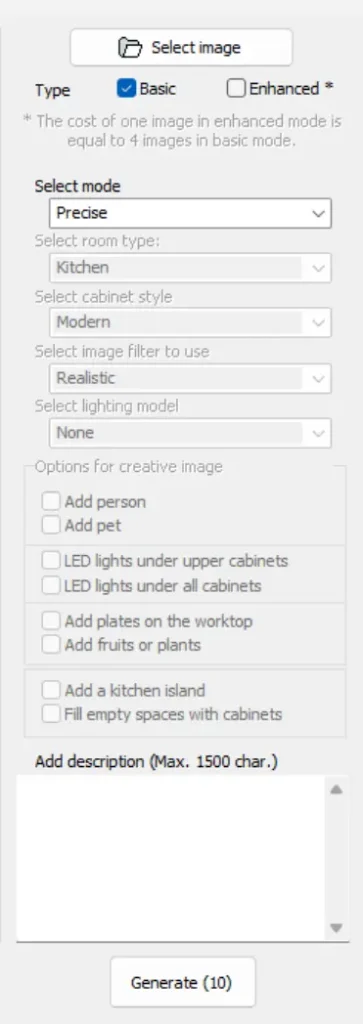
TYPE: ENHANCED
1 photo = 4 credits
The workflow remains similar to Basic Image generation, but with a significant quality boost.
Generated images now have a much higher resolution:
- Basic: HD
- Enhanced: 2K
Credit Requirements
To generate images, users must have enough available credits.
Each subscription license includes 4 credits per month.
To purchase additional credits, please contact your commercial department.
Autokitchen 26 and its new AI modes are now available for all customers with an active subscription. You can see the main features of Autokitchen 26 here.
Those interested in seeing how Autokitchen AI works can request a personalized online demonstration through this website.